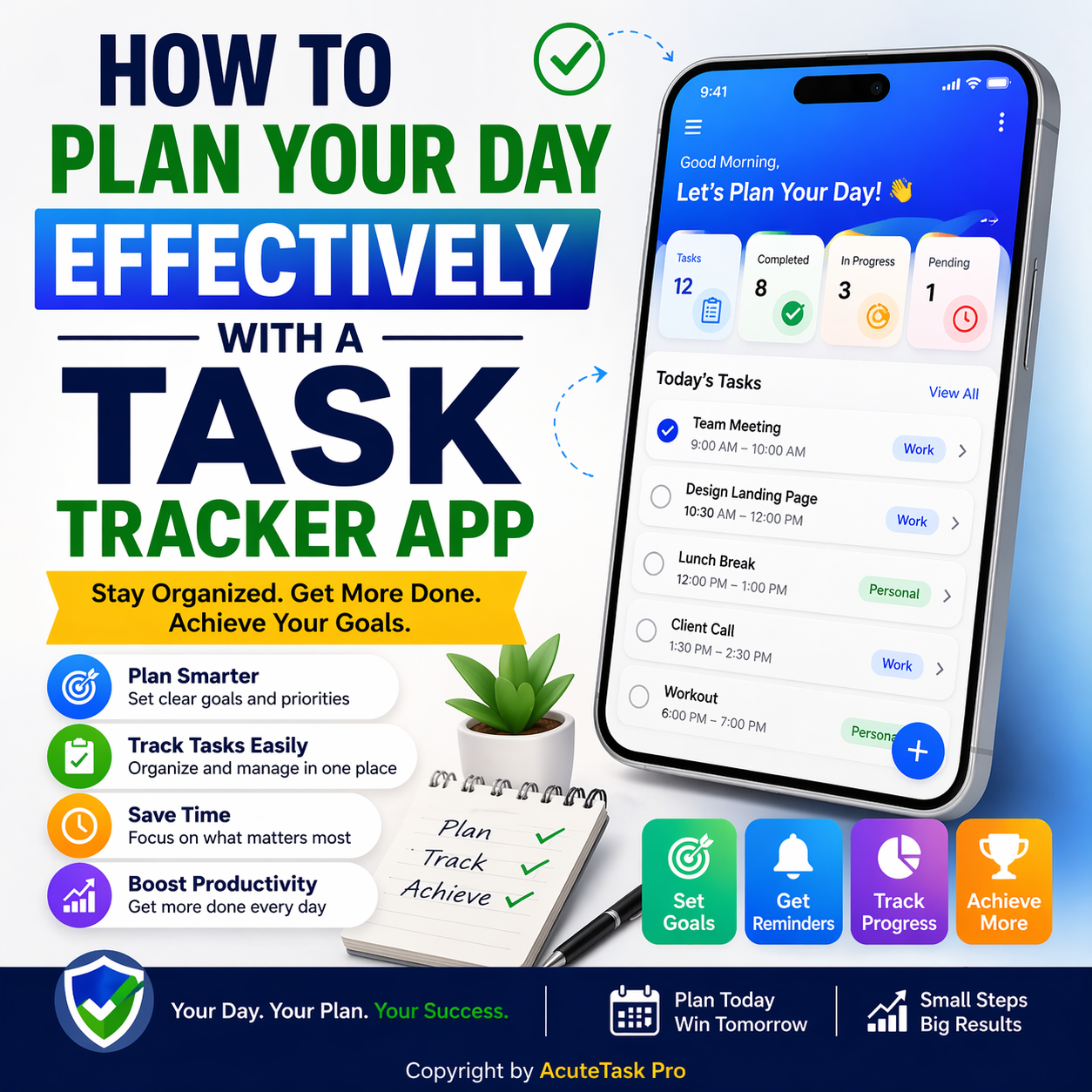
How to Plan Your Day Effectively with a Task Tracker App (2026 Guide)
How to Plan Your Day Effectively with a Task Tracker App (2026 Guide)
In today’s fast-paced world of 2026, where remote teams, AI assistants, and global deadlines collide, knowing how to plan your day effectively with a task tracker app is the ultimate game-changer. Imagine waking up with crystal-clear priorities, zero overwhelm, and the confidence that every hour moves you closer to your goals. This guide reveals exactly that — and shows how it ties directly into the 10 proven ways to stay productive using a to-do list in 2026.
You’ll learn practical, battle-tested strategies that top professionals use daily, all powered by sleek digital tools. We’ll explore how AcuteTask Pro — the premium task tracker app designed for international clients — transforms ordinary to-do lists into a strategic daily command center. Its smart, professional UI/UX feels intuitive and elegant on every device, helping you reclaim time, reduce stress, and achieve more. Let’s dive into a complete 2026 blueprint for masterful day planning.
Why a Task Tracker App Is Essential for 2026 Productivity
Traditional paper lists and basic spreadsheets simply can’t keep up with today’s hybrid workflows. A dedicated task tracker app brings real-time sync, smart reminders, and visual clarity. When you master how to plan your day effectively with a task tracker app, you naturally unlock the 10 proven ways to stay productive using a to-do list in 2026. AcuteTask Pro stands out with its clean, modern interface that feels premium yet effortless — perfect for freelancers, teams, and global enterprises alike.
The 10 Proven Ways to Stay Productive Using a To-Do List in 2026 — Powered by AcuteTask Pro
1. Start with a Morning Brain Dump
Open AcuteTask Pro first thing and capture every task swirling in your mind. The app’s lightning-fast input and auto-categorization make this ritual effortless and complete.
2. Use the Eisenhower Matrix Built-In
Tag tasks as urgent, important, or delegate. AcuteTask Pro’s visual matrix helps you focus on what truly matters each day.
3. Break Goals into Micro-Tasks
Turn big projects into 15-minute actionable steps. The app’s sub-task feature keeps everything organized and motivating.
4. Time-Block Your Calendar Seamlessly
Drag tasks directly into your daily schedule. AcuteTask Pro syncs with major calendars so nothing slips through the cracks.
5. Set Smart Daily Limits
Limit yourself to 5–7 key tasks. The app gently nudges you when your list grows too long, preventing burnout.
- Daily Review Ritual — End each evening reviewing completed items and planning tomorrow.
- Energy-Based Prioritization — Tag tasks by high-energy or low-energy slots.
- Weekly Reset — Every Sunday, archive finished work and set three big wins for the week ahead.
6. Leverage AI-Powered Suggestions
AcuteTask Pro’s intelligent engine recommends optimal task order based on your past patterns and deadlines.
7. Track Progress Visually
Kanban boards and progress bars give instant satisfaction and keep momentum high throughout the day.
8. Collaborate in Real Time
Share daily plans with team members instantly. The sleek interface makes handoffs feel professional and effortless.
9. Integrate with Billing & Invoicing Workflows
Link completed tasks straight to client deliverables. This is where AcuteTask Pro shines for international professionals who also handle invoicing.
Unlock Daily Planning Mastery with AcuteTask Pro
AcuteTask Pro is the ultimate task tracker app that makes how to plan your day effectively with a task tracker app simple, elegant, and powerful. Its sleek, smart, and professional UI/UX design is crafted for international clients — clean dashboards, intuitive navigation, and premium aesthetics that feel right at home on desktop or mobile. Major advantages include instant daily planning, real-time collaboration, AI-driven prioritization, and seamless integration with your existing tools.
Key Roles & Features of AcuteTask Pro:
- Admin Role — Full access to team settings, reports, and global templates
- Team Leader Role — Assign tasks, set deadlines, and monitor progress across members
- Team Member Role — Update status, add notes, and collaborate without clutter
- Freelancer / Personal Role — Private workspaces with client-specific folders
- Client Viewer Role — Secure, read-only access to shared project timelines
Additional standout functions: drag-and-drop kanban boards, voice-to-task input, automated progress reports, multi-timezone support, and one-click export to PDF or Excel. By using AcuteTask Pro, you gain hours back every week while enjoying a beautifully designed experience that elevates your entire workflow.
10. End with Reflection & Celebration
Close the day by marking wins and noting lessons. AcuteTask Pro’s built-in journal feature turns reflection into a delightful habit.
Excel vs Invoicing Software: Pros and Cons (And Why Task Trackers Win)
Many professionals still juggle day planning with spreadsheets, but the comparison is clear when you pair a task tracker like AcuteTask Pro with modern invoicing tools. Here’s how they stack up:
| Aspect | Excel | Dedicated Invoicing Software + AcuteTask Pro |
|---|---|---|
| Daily Planning Speed | Manual entry and formulas | Instant drag-and-drop with AI help |
| Error Risk | High — easy to break links | Automated sync and validation |
| Professional Look | Basic and dated | Sleek, branded, client-ready |
| Team Collaboration | Limited and version chaos | Real-time roles and permissions |
| Scalability for Global Work | Poor multi-currency handling | Built-in timezone and currency support |
| Integration with Task Lists | None | Seamless task-to-invoice flow |
AcuteTask Pro eliminates the need for clunky Excel workarounds, giving you a complete productivity ecosystem that feels premium and effortless.
Real-World Example: A Day in the Life with AcuteTask Pro
Sarah, a freelance consultant working with clients across Europe and Asia, starts her morning in AcuteTask Pro. She reviews her personalized dashboard, prioritizes three high-impact tasks, and blocks time for deep work. By afternoon, completed items automatically trigger invoice drafts. The result? More billable hours, happier clients, and zero end-of-day anxiety. This is the power of knowing how to plan your day effectively with a task tracker app in 2026.
Ready to transform your daily planning?
Start free today at AcuteTask Pro and explore the full power of their online to-do list at AcuteTaskPro To-Do List. Your most focused, productive days are waiting.
Final Thoughts: Make Every Day Count in 2026
Mastering how to plan your day effectively with a task tracker app is no longer optional — it’s your competitive edge. By embracing the 10 proven ways to stay productive using a to-do list in 2026 inside AcuteTask Pro, you gain clarity, momentum, and balance. The app’s sleek, professional design, comprehensive roles, and powerful features make it the perfect companion for international professionals who demand excellence without complexity.
Begin tomorrow morning with a single mindful planning session in AcuteTask Pro. Watch how small daily habits compound into extraordinary results. Here’s to calmer mornings, finished tasks, and a truly fulfilling 2026.