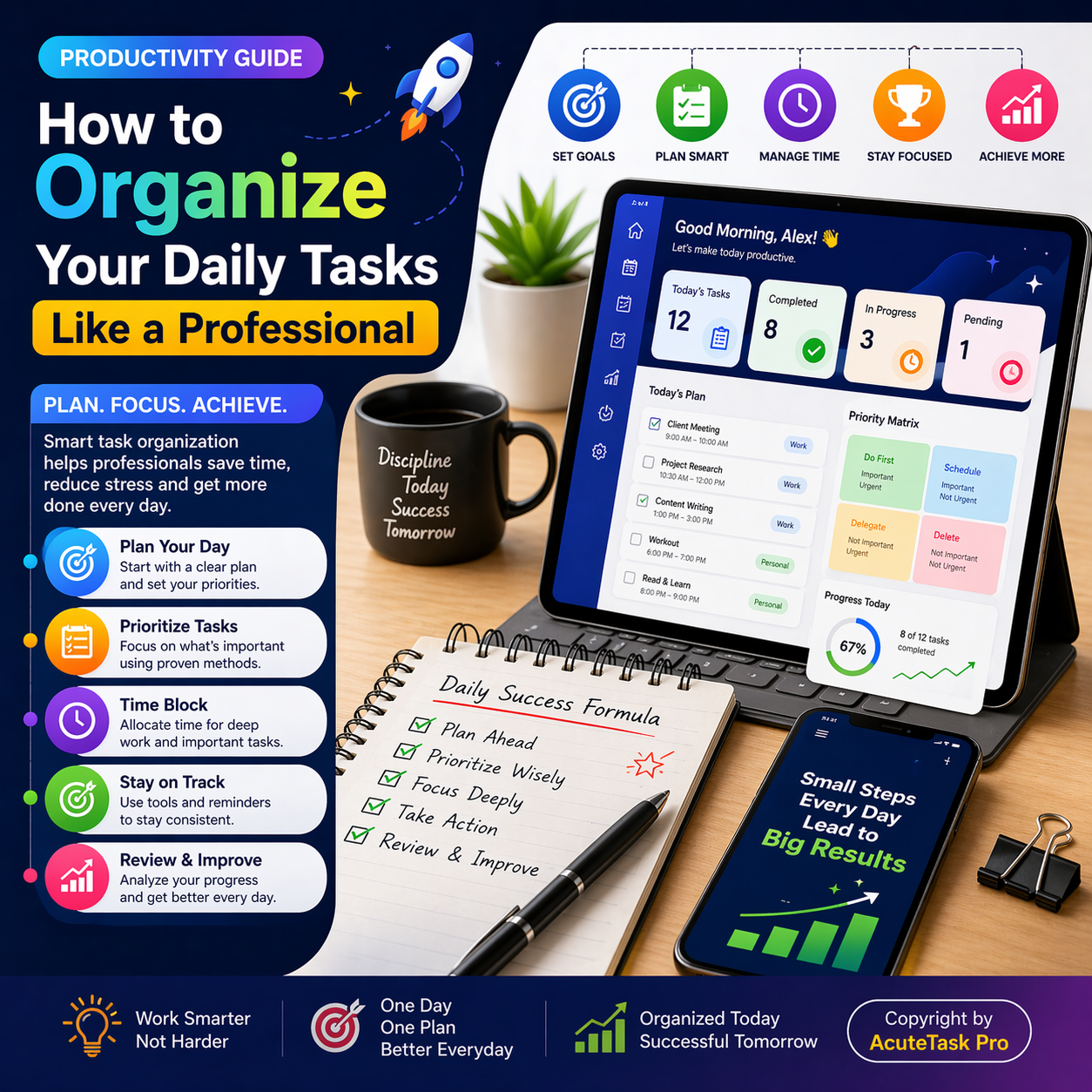
How to Organize Your Daily Tasks Like a Professional (2026 Productivity Guide)
How to Organize Your Daily Tasks Like a Professional (2026 Productivity Guide)
Ever feel like your day disappears in a blur of unfinished tasks and constant distractions? In 2026, learning how to organize your daily tasks like a professional is the difference between scattered effort and extraordinary results. This practical guide reveals proven professional task management methods that top performers use to stay focused, calm, and ahead of deadlines.
You’ll discover how to organize daily tasks with clarity and confidence, using simple systems that actually stick. From setting goals to reviewing progress, every step is designed for real life in our fast-paced world. At the heart of these methods is AcuteTask Pro — the sleek, smart task tracker app built for international clients. Its professional UI/UX design feels premium and intuitive, turning chaos into effortless flow. Let’s walk through exactly how to organize daily tasks like a professional and reclaim your time.
1. Why Task Organization Matters for Productivity
Benefits of Structured Task Planning
Structured planning eliminates decision fatigue and creates mental space for deep work. Professionals who organize daily tasks report 40% less stress and far higher output. The benefits compound: clearer thinking, faster execution, and a genuine sense of control.
Impact on Time Management
When you organize daily tasks like a professional, every minute gains purpose. You stop reacting and start leading your day, protecting high-value hours from low-priority interruptions.
2. Set Clear Goals Before Organizing Tasks
Define Daily Objectives
Begin each morning by naming three non-negotiable outcomes. This single habit transforms vague intentions into focused action and forms the foundation of all professional task management methods.
Align Tasks with Long-Term Goals
Link today’s list to your bigger vision. AcuteTask Pro makes this effortless with goal-tracking folders that keep daily work connected to quarterly wins.
3. Create a Master To-Do List
Capture All Tasks in One Place
Brain-dump everything into one trusted system. No more sticky notes or forgotten emails. A master list becomes your single source of truth.
Avoid Missing Important Work
By capturing every item, you prevent important tasks from slipping through the cracks and reduce the mental load of constant remembering.
- Capture quickly — Use voice input for hands-free entry.
- Group by context — Work, personal, or client-specific.
- Keep it visible — One glance shows your full picture.
4. Prioritize Tasks Like a Professional
Use the Eisenhower Matrix
Sort tasks into urgent/important quadrants. This classic method remains one of the most powerful professional task management methods in 2026.
Apply the ABCD Method
Label tasks A (must do), B (should do), C (nice to do), and D (delegate). AcuteTask Pro’s smart tags automate this sorting beautifully.
5. Break Tasks into Manageable Steps
Reduce Overwhelm
Large projects feel impossible until broken down. Turn “prepare client report” into five 20-minute actions and watch momentum build.
Improve Execution Speed
Small steps create quick wins that fuel dopamine and keep you moving forward all day long.
6. Use Time Blocking for Better Focus
Allocate Time for Each Task
Assign specific blocks on your calendar. When you organize daily tasks with time blocking, distractions lose their power.
Avoid Distractions
Protected blocks create deep-work zones where real progress happens.
7. Use Digital Tools for Task Management
Task Tracker Apps
Modern apps elevate simple lists into intelligent systems. AcuteTask Pro stands out with its sleek, smart, and professional UI/UX designed specifically for international clients. The clean interface feels premium yet effortless on desktop or mobile.
Automation and Reminders
Smart reminders and auto-scheduling free you from manual follow-ups so you can focus on high-value work.
How AcuteTask Pro Helps You Organize Daily Tasks Like a Professional
AcuteTask Pro is the ultimate companion for mastering how to organize your daily tasks like a professional. Its major advantages include real-time sync across devices, AI-powered prioritization, beautiful kanban boards, and seamless collaboration — all wrapped in a sleek, professional design that impresses international clients.
All AcuteTask Pro Roles and Key Features:
- Admin Role — Complete control over workspaces, templates, reports, and team permissions
- Team Leader Role — Assign tasks, set deadlines, track progress, and run performance insights
- Team Member Role — Update status, add comments, collaborate in real time, and receive smart reminders
- Freelancer / Personal Role — Private client folders, voice-to-task input, and goal alignment tools
- Client Viewer Role — Secure read-only access to shared timelines and milestone updates
Standout functions: drag-and-drop organization, automated daily summaries, multi-timezone support, one-click PDF exports, and intelligent recurring task templates. Professionals using AcuteTask Pro save hours weekly while enjoying a beautifully designed experience that makes professional task management methods feel natural and enjoyable. Start free at AcuteTask Pro or explore the dedicated to-do list at AcuteTask Pro To-Do List.
8. Avoid Common Task Organization Mistakes
Overloading Your Schedule
Realistic daily limits prevent burnout. Professionals cap active tasks at 5–7 items maximum.
Ignoring Breaks
Schedule short resets. Your brain needs them to maintain peak performance throughout the day.
| Mistake | Consequence | Pro Fix with AcuteTask Pro |
|---|---|---|
| Overloading schedule | Burnout and missed deadlines | Smart daily limits and AI warnings |
| No prioritization | Important work gets buried | Built-in Eisenhower and ABCD tools |
| Ignoring energy levels | Low-output hours wasted | Energy-based tagging and scheduling |
9. Review and Optimize Your Daily Tasks
End-of-Day Reflection
Spend five minutes noting what worked and what to adjust. This quick ritual turns experience into improvement.
Continuous Improvement
Treat your system as a living process. Small tweaks compound into major gains over time.
10. Build a Consistent Productivity Routine
Develop Strong Habits
Pair task organization with morning and evening rituals. Consistency beats intensity every single time.
Stay Consistent and Motivated
Celebrate small wins inside AcuteTask Pro. The app’s progress visuals keep motivation high and make professional task management methods a daily joy.
Ready to organize daily tasks like a professional?
Begin your transformation today with AcuteTask Pro and experience the difference a truly professional system makes.
Final Thoughts
Mastering how to organize your daily tasks like a professional isn’t about working harder — it’s about working smarter with the right professional task management methods. By following these ten steps and leveraging AcuteTask Pro’s powerful features, you’ll gain clarity, reduce stress, and achieve more than you ever thought possible in 2026. Start small this week. Pick one section, apply it tomorrow morning, and watch your productivity soar. Your most organized, fulfilling days are just one intentional list away.